
efX Software Version 3.0
North Star Imaging is proud to announce our latest efX software release, version 3.0.
When using complex X-ray software, system operators often struggle to meet tight inspection deadlines and turn raw scan data into clear, actionable insights.
With efX 3.0, system operators can now streamline workflows, improve collaboration, and analyze complex datasets faster and with greater precision.
Plus, powerful add-on modules deliver even more functionality, reducing the need to switch between multiple software programs.
New Features Include:
Window Layout & Docking
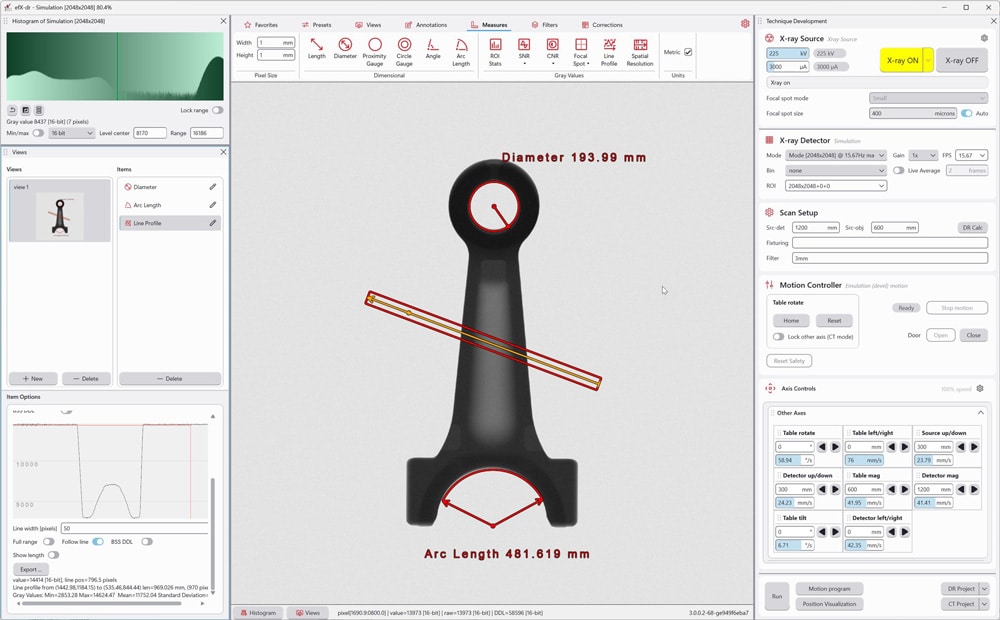
efX 3.0 new user interface and intelligent window docking system gives you full control to customize layouts, removes the hassle of managing multiple windows, and helps you work faster and more efficiently.
Project Explorer & Properties Panel
Navigate your CT data effortlessly with a well-organized scene tree and clear categorical list of all objects and components in the views window greatly enhancing your workflow clarity.
The properties panel allows system operators to instantly access the selected item’s information and adjust its parameters for analysis (e.g. filters, surfaces, Regions of Interest, slices, measurements, and more).
Embedded Histograms
This new layout gives you quick access to an embedded histogram, saving space and preventing window clutter for more efficient image editing.
Clipping Objects
Operators can now use global clipping objects (plane/cylinder) to slice through all volumes in the scene, seamlessly correlating the slice data with the volume.
NSIX Files
This new project file format now allows operators to save an entire workspace including volumes, filters, measurements, bookmarks, and view settings so they be shared with colleagues or resume the analysis later.
Rapid Surface Preview
Rapid surface preview lets users quickly evaluate multiple iso‑values for noise, measurement quality, and impact to future analysis’s enabling faster, more informed decisions.
Animation Tools
Animation gives the operator the power to create high‑quality smooth motion videos that showcase the samples key features in as little as a few clicks and if required flexible customization to match your viewing needs.
New Add-on Modules:
Add-on Module
Inspection Basic
Today, system operators have difficulty documenting their evaluation and reporting key information which can lead to increase time or improper records.
With Inspection Basic, system operators can now easily create traceable records linked directly to key decision points in their CT volumes, while saving valuable time through powerful interactive recall tools.
Contact us for inquires on this Add-On Module.
Add-on Module
Comparative Analysis
When system operators need to compare their current product to a baseline, outdated workflows and time-consuming processes often slow them down and delay critical decisions.
With Comparative Analysis, operators can use volume registration to quickly compare production runs, representative quality indicators, or gold standard parts.
Contact us for inquires on this Add-On Module.
Add-on Module
Process Control
When performing CT quality validation, system operators often rely on manual and complicated processes that can lead to inconsistent decisions or costly delays.
System operators can now use Process Control, which uses the ASTM E1695 protocols to accurately validate important CT scan characteristics such as spatial resolution, and contrast sensitivity.
Contact us for inquires on this Add-On Module.